|
24-26 Jun 2026 Lille (France)
|
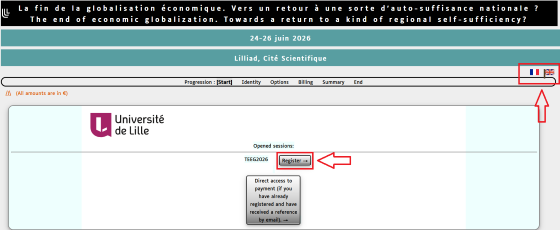
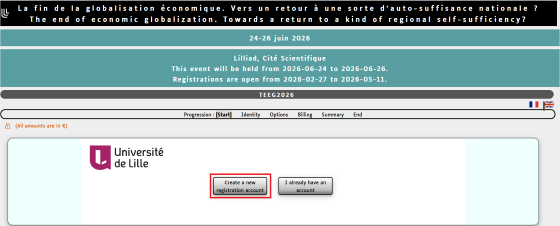
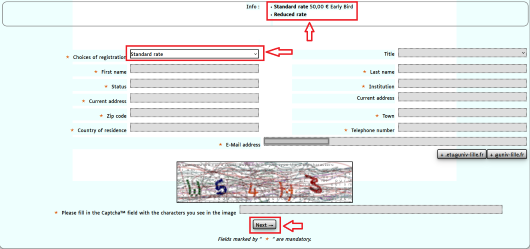
RegistrationHow to Register to the conference To register at the conference, follow this link. First, select the language and, if you are registering for the first time, click “Register”: Then click “Create a new registration account” Select the registration rate (“Standard rate” or “Reduced rate”: refer to the website to select the proper rate). Early Bird standard Registration Fees amount to 250€, split into 50€ of participation fees and 200€ of “other fees” (which will appear in the following page). Early bird Reduced fees are 0. After filling the module with your personal information, click “Next”.
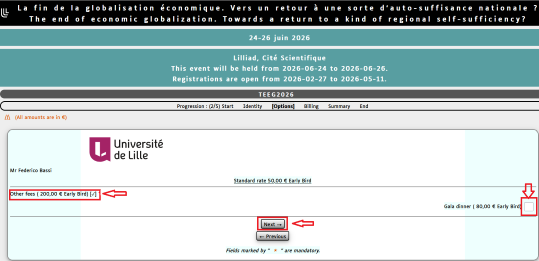
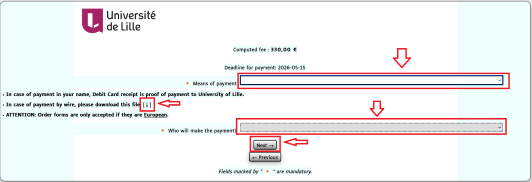
You have now the possiblity to select the gala Dinner (“other fees” are mandatory and automatically selected). Then, click “Next”. Here you will find the total fees (Participation fees + other fees + Gala Dinner). You have three payment options: by card, by order forms or by wire. Please note that order forms only apply to French Institutions. If you chose to pay by wire, you will have to download the University of Lille’s Bank Coordinates by clicking on the arrow. Select who is going to make the payment then click “Next”.
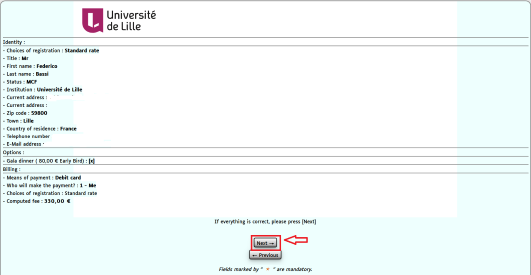
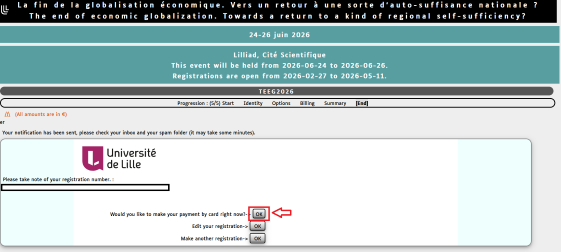
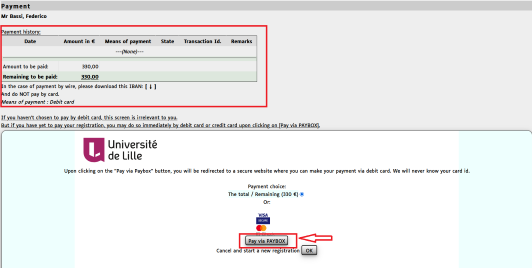
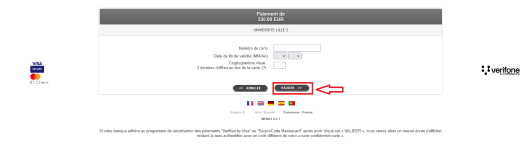
Here you will find the full details of your registration. If everything is correct, click “Next” You will now receive an email with the details of your registration. If you want to pay later on, just quit the page and then use the link that you will find in the bottom of the registration email (please note that early bird registrations need to be concluded before the end of the early bird phase: early bird registrations without the corresponding payment will be cancelled during the normal registration phase). You can also choose to pay immediately. If you choose to pay immediately, you will find the whole details about the payment and a link to Paybox. Finnaly, fill the module with the card details and click “valider” |